Add text over the video
QUICK TIP · UPDATED 17 OCTOBER 2026
Put a title or a label on top of your clip.
The Editor works on a laptop or desktop.
Steps
-
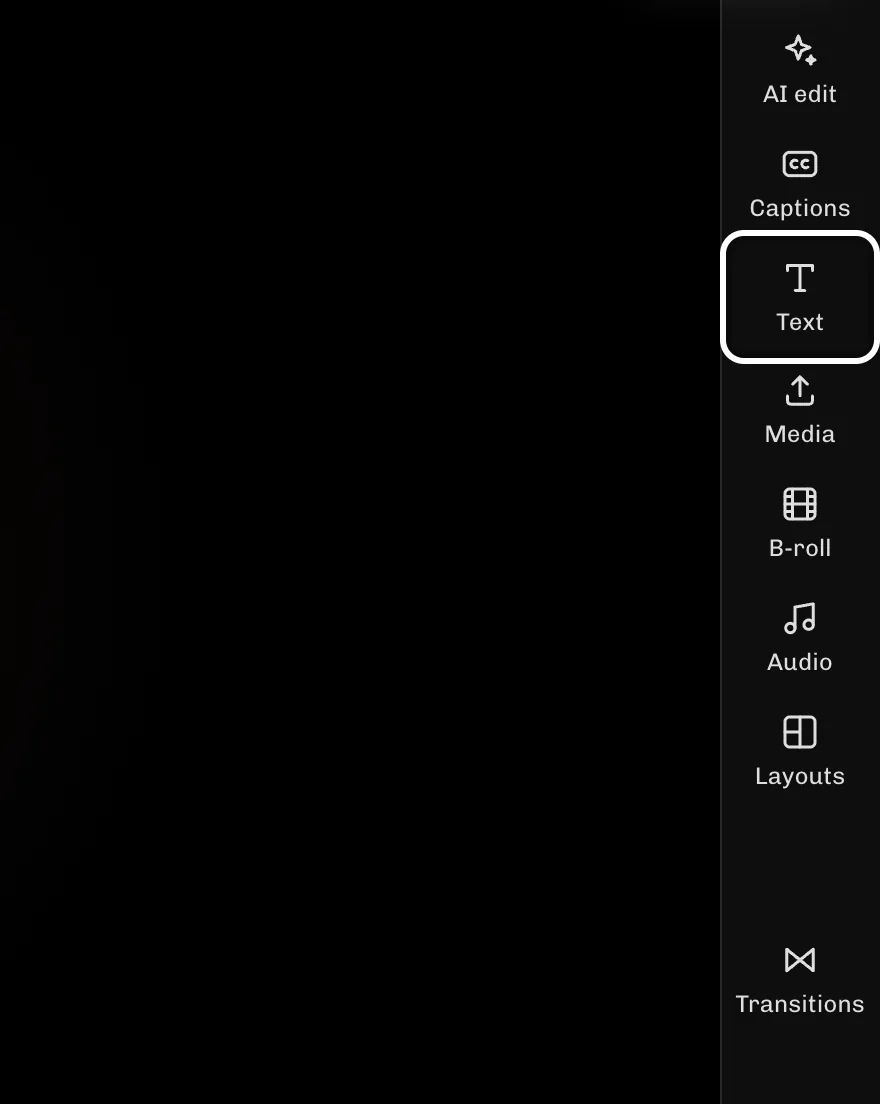
Select Text to open the text tools.
-
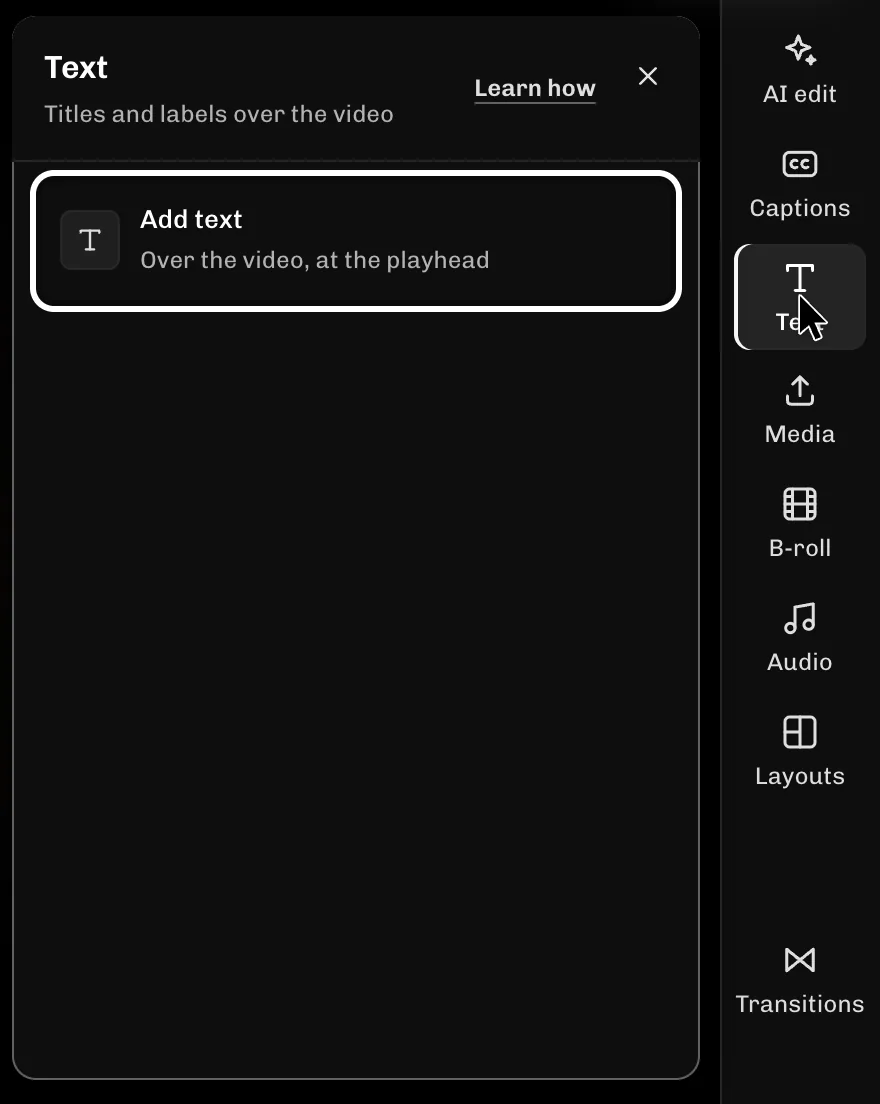
Select Add text to put a text box on the video at the playhead.
-
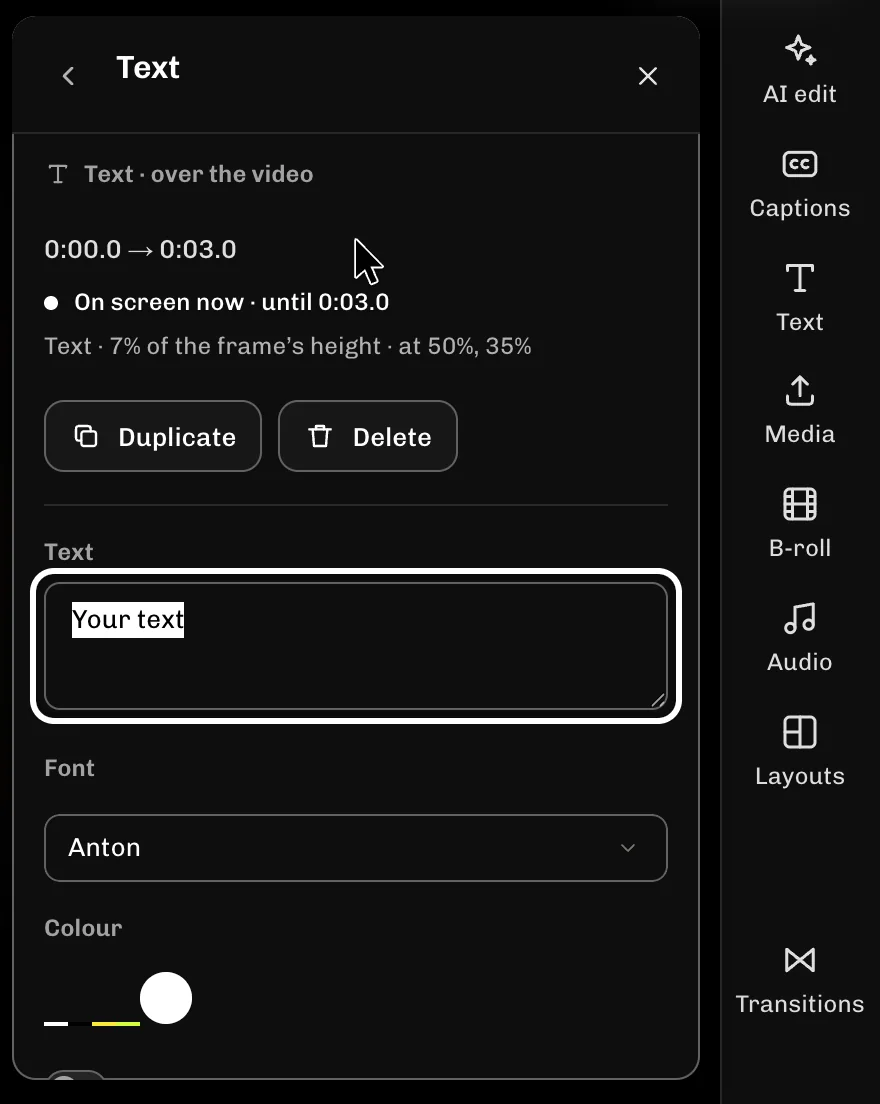
Type your words in the Text box.
If something goes wrong
- You can also select Text in the Overlays row under the timeline.
- To change the words later, pick the text block on the timeline and edit the Text box.
- The text starts at the playhead and lasts 3 seconds. Drag its block on the timeline to move or trim it.
More guides
- Next: Detach sound from B-roll
- Undo a mistake
- Hide a section without deleting it
- Move a section earlier or later
- Slow down or speed up a section
- Zoom the timeline to fit
- All guides
Try it in ReelFyre
ReelFyre is in a private, invite-only test. Request an invitation to try these steps yourself, or read how pricing and access work.
ReelFyre uses YouTube API Services. By using ReelFyre, you agree to be bound by the YouTube Terms of Service. The Google Privacy Policy applies alongside ours.
SandMatter LLP · hello@sandmatter.com